Explore Quiz Results

.psd-1-1Ratio.jpeg?q=85)
The reviews are in
“I was happy with my order my Cricut is amazing and all the started bundle got me used to everything and was able to make plenty of things before I needed some new materials was pretty easy to learn.”

Amber
“I teach kindergarten and I love my new Cricut Explore 4. It is so fast I was able to make 60 fancy locker tags in no time at all.”

MMM
“I upgraded from an Explore Air 2 to the Explore 4 and the difference is real! It has helped me be so much more efficient in my crafts and small business. Thank you Cricut for always greatly improving your products. I love the Explore 4!”

Allison
"I wasn't sure what to really expect when I received the Everything bundle...I was pleasantly surprised to see all that was promised. I love the Cricut Explore 4. Speed unexpected and precise cuts. Not disappointment here."

Bill

Make up to 250 projects¹
Get started with confidence and skip the extra trips to the store with the Cricut Explore 5 + Essentials Bundle. This bundle includes the supplies you need to make up to 250 projects like vinyl decals, T-shirts, cards, full-color stickers, and paper crafts.

Sized to delight
About the size of two reams of paper, Cricut Explore 5 fits perfectly on your desk, kitchen counter, or wherever you craft, and helps you create projects up to 11.7 in wide by 12 ft long.²
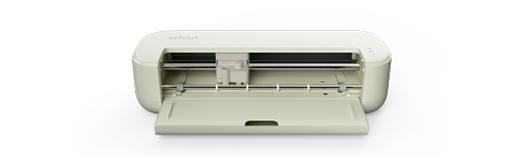
For the crafter looking to create popular projects like vinyl decals, stickers, cards, and T-shirts. You can even make in multiples.
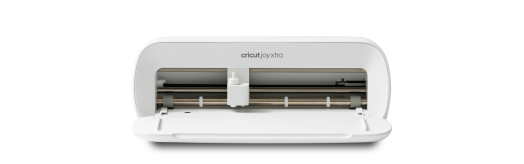
Our fits-in-any-space cutting machine for popular projects like full-color stickers, custom cards, T-shirts & so much more.
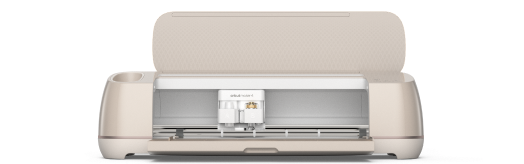
Our ultimate cutting machine that does it all! With more power and tools to cut wood, engrave metal & deboss leather. Plus, make popular projects like cards, T-shirts & stickers.
Sign up for our email list and we’ll send a code for $20 off your first purchase of a cutting machine.*



¹Based on 4 in x 6 in (10.2 cm x 15.2 cm) average size using included materials.
²For compatible materials & Smart Materials™, see cricut.com/materials